FAQ
This FAQ is a work in progress designed to answer the questions our users most frequently ask about Hypervisor.
How can I ssh login to the Hypervisor node?
$ ssh rancher@node-ip
What is the default login username and password of the Hypervisor dashboard?
username: admin
password: # you will be promoted to set the default password when logging in for the first time
How can I access the kubeconfig file of the Hypervisor cluster?
Option 1. You can download the kubeconfig file from the support page of the Hypervisor dashboard.
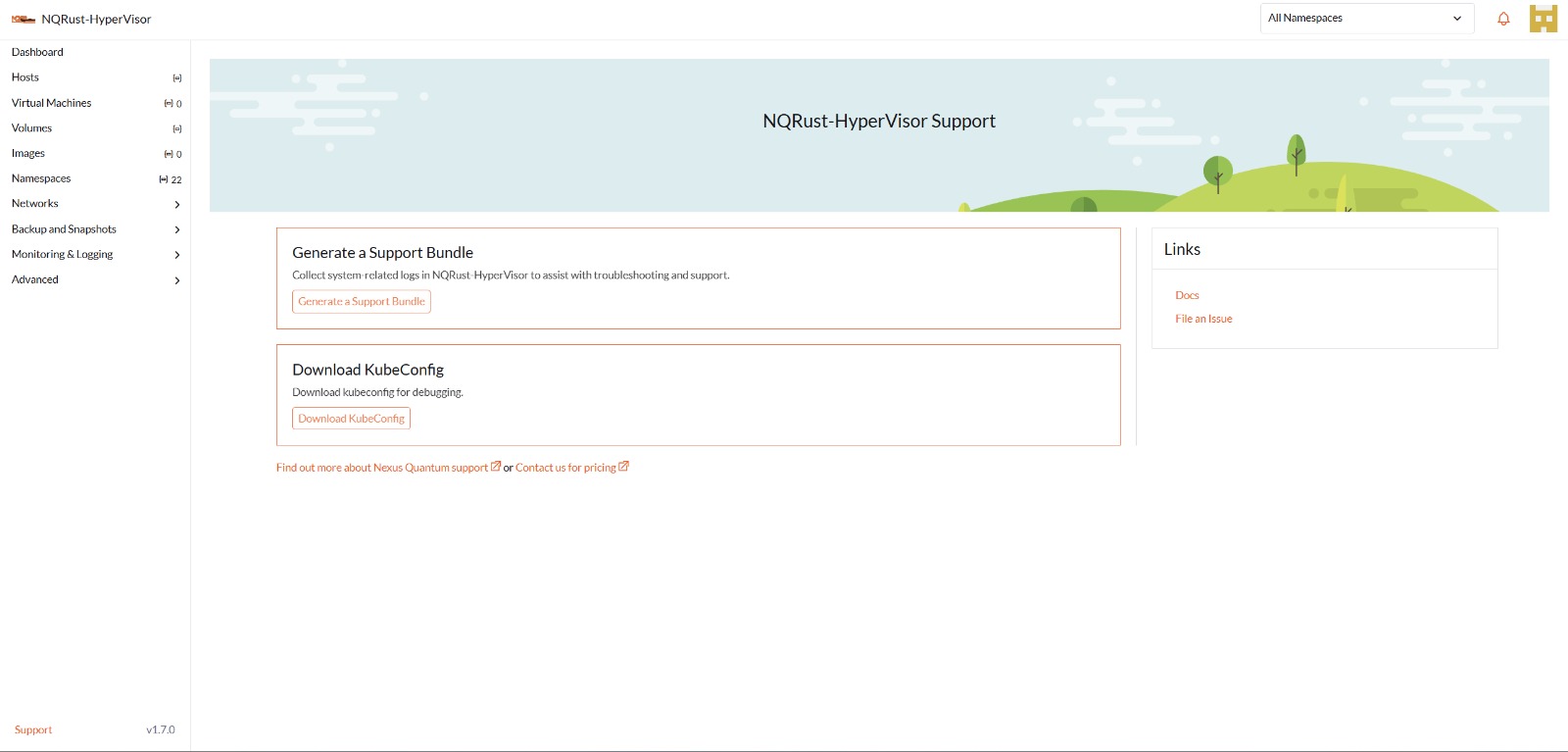
Option 2. You can get the kubeconfig file from one of the Hypervisor management nodes. E.g.,
$ sudo su
$ cat /etc/rancher/rke2/rke2.yaml
How to install the qemu-guest-agent of a running VM?
# cloud-init will only be executed once, reboot it after add the cloud-init config with the following command.
$ cloud-init clean --logs --reboot
https://cloudinit.readthedocs.io/en/latest/reference/cli.html#clean
How can I reset the administrator password?
In case you forget the administrator password, you can reset it via the command line. SSH to one of the management node and run the following command:
# switch to root and run
$ kubectl  -n cattle-system exec $(kubectl --kubeconfig $KUBECONFIG -n cattle-system get pods -l app=rancher --no-headers | head -1 | awk '{ print $1 }') -c rancher -- reset-password
New password for default administrator (user-xxxxx):
<new_password>
I added an additional disk with partitions. Why is it not getting detected?
As of Hypervisor v1.0.2, we no longer support adding additional partitioned disks, so be sure to delete all partitions first (e.g., using fdisk).
Why are there some Hypervisor pods that become ErrImagePull/ImagePullBackOff?
This is likely because your Hypervisor cluster is an air-gapped setup, and some pre-loaded container images are missing. Kubernetes has a mechanism that does garbage collection against bloated image stores. When the partition which stores container images is over 85% full, kubelet tries to prune the images based on the last time they were used, starting with the oldest, until the occupancy is lower than 80%. These numbers (85% and 80%) are default High/Low thresholds that come with Kubernetes.
To recover from this state, do one of the following depending on the cluster's configuration:
- Pull the missing images from sources outside of the cluster (if it's an air-gapped environment, you might need to set up an HTTP proxy beforehand).
- Manually import the images from the Hypervisor ISO image.
Take v1.1.2 as an example, download the Hypervisor ISO image from the official URL. Then extract the image list from the ISO image to decide which image tarball we're going to import. For instance, we want to import the missing container image rancher/hypervior-upgrade
$ curl -sfL https://releases.rancher.com/hypervior/v1.1.2/hypervior-v1.1.2-amd64.iso -o hypervior.iso

$ xorriso -osirrox on -indev hypervior.iso -extract /bundle/hypervior/images-lists images-lists

$ grep -R "rancher/hypervior-upgrade" images-lists/
images-lists/hypervior-images-v1.1.2.txt:docker.io/rancher/hypervior-upgrade:v1.1.2
Find out the location of the image tarball, and extract it from the ISO image. Decompress the extracted zstd image tarball.
$ xorriso -osirrox on -indev hypervior.iso -extract /bundle/hypervior/images/hypervior-images-v1.1.2.tar.zst hypervior.tar.zst

$ zstd -d --rm hypervior.tar.zst
Upload the image tarball to the Hypervisor nodes that need recover. Finally, execute the following command to import the container images on each of them.
$ ctr -n k8s.io images import hypervior.tar
$ rm hypervior.tar
- Find the missing images on that node from the other nodes, then export the images from the node where the images still exist and import them on the missing node.
# on each node
$ ./hypervior-purge-images.sh v1.1.2 v1.2.0
- The script only downloads the image lists and compares the two to calculate the difference between the two versions. It does not communicate with the cluster and, as a result, does not know what version the cluster was upgraded from.
- We published image lists for each version released since v1.1.0. For clusters older than v1.1.0, you have to clean up the old images manually.