Air Gapped Environment
This section describes how to use Hypervisor in an air gapped environment. Some use cases could be where Hypervisor will be installed offline, behind a firewall, or behind a proxy.
The Hypervisor ISO image contains all the packages to make it work in an air gapped environment.
Working Behind an HTTP Proxy
In some environments, the connection to external services, from the servers or VMs, requires an HTTP(S) proxy.
Configure an HTTP Proxy During Installation
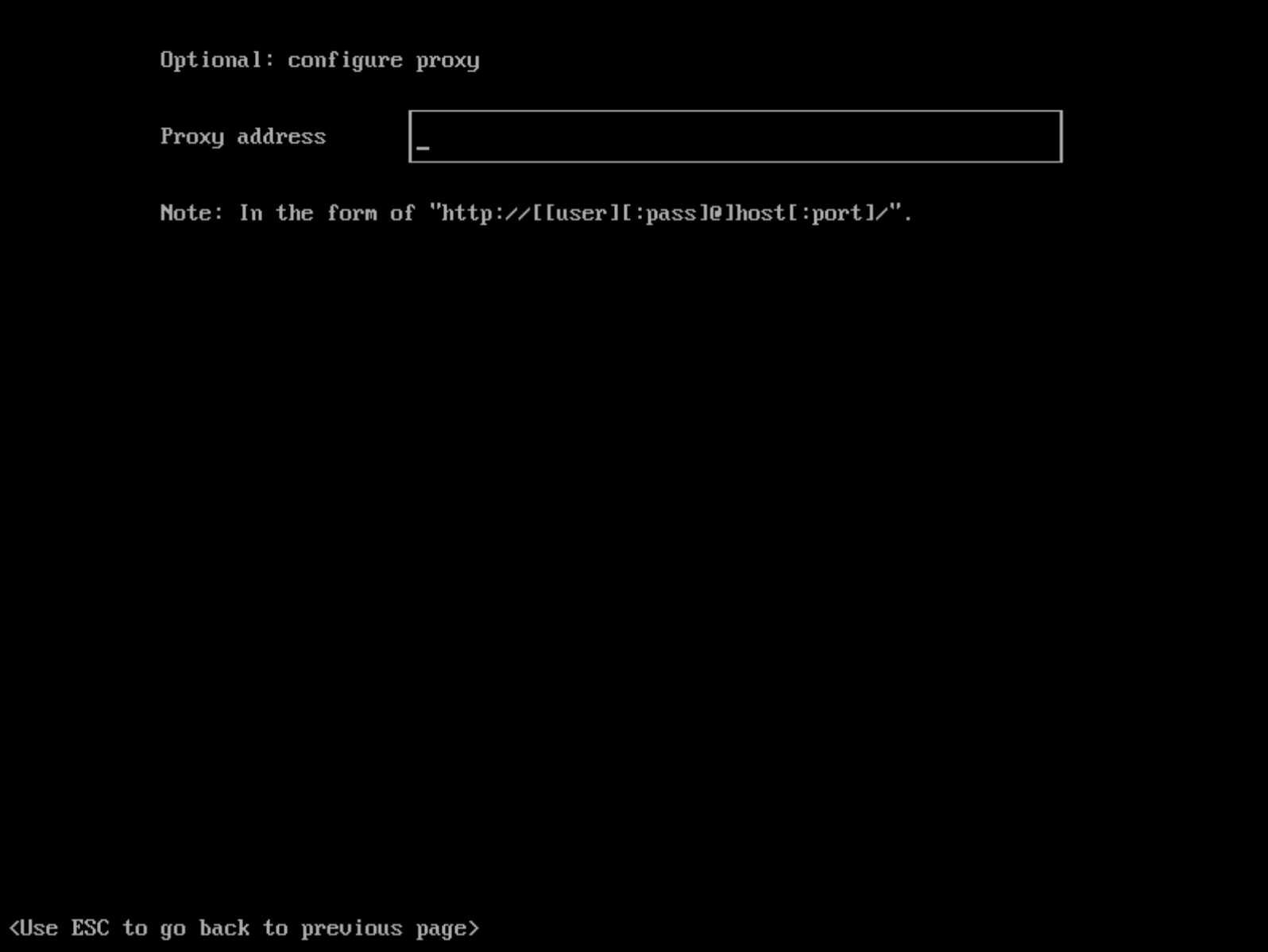
You can configure the HTTP(S) proxy during the ISO installation as shown in picture below:
Configure an HTTP Proxy in Hypervisor Settings
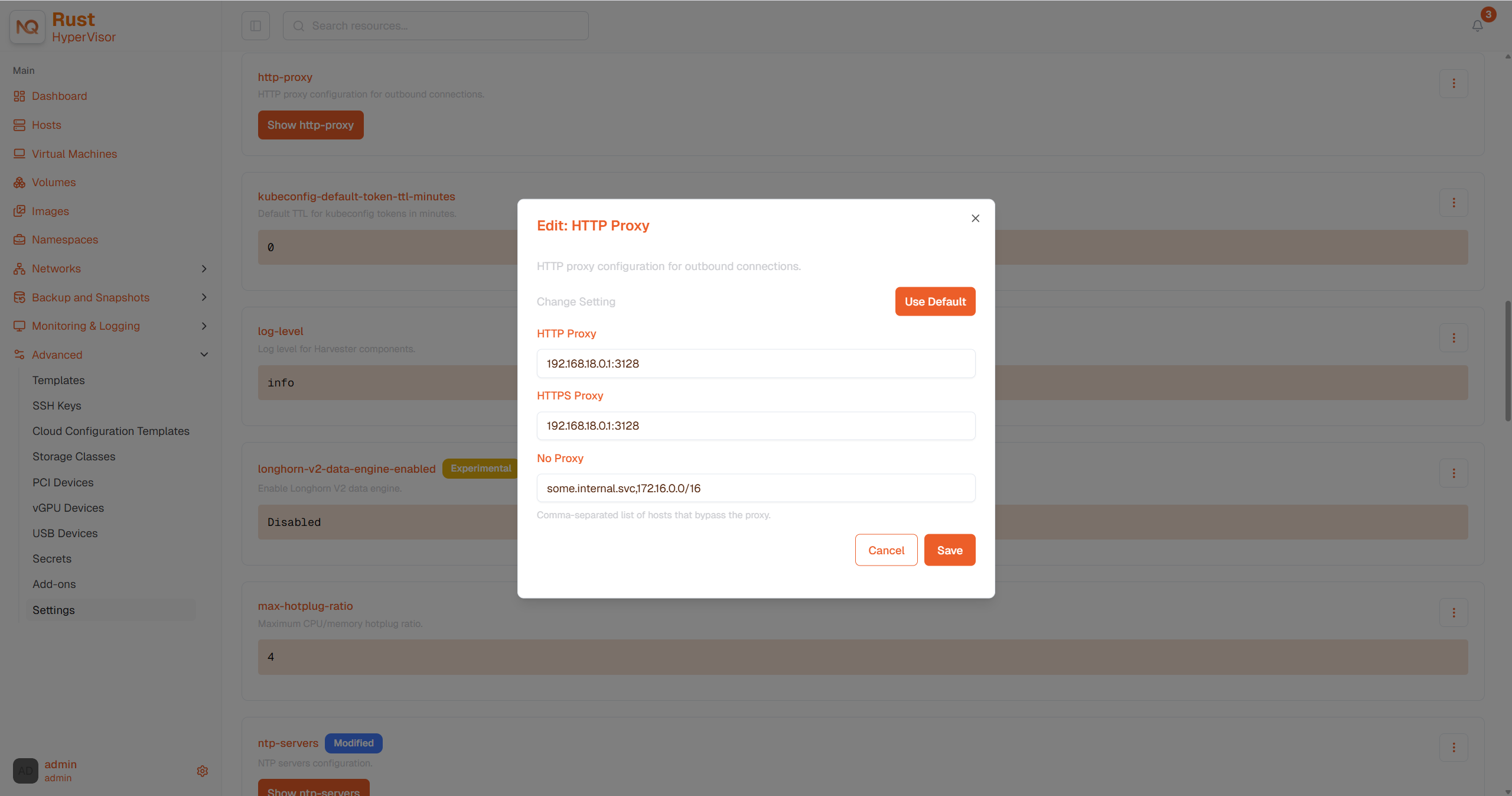
You can configure the HTTP(S) proxy in the settings page of the Hypervisor dashboard:
- Go to the settings page of the Hypervisor UI.
- Find the
http-proxysetting, click ⋮ > Edit setting - Enter the value(s) for
http-proxy,https-proxyandno-proxy.
Hypervisor appends necessary addresses to user configured no-proxy to ensure the internal traffic works.
i.e., localhost,127.0.0.1,0.0.0.0,10.0.0.0/8,longhorn-system,cattle-system,cattle-system.svc,hypervisor-system,.svc,.cluster.local. hypervisor-system was added into the list since v1.1.2.
When the nodes in the cluster do not use a proxy to communicate with each other, the CIDR needs to be added to http-proxy.noProxy after the first node is installed successfully. Please refer to fail to deploy a multi-node cluster.
Guest Cluster Images
All necessary images to install and run Hypervisor are conveniently packaged into the ISO, eliminating the need to pre-load images on bare-metal nodes. A Hypervisor cluster manages them independently and effectively behind the scenes.
However, it's essential to understand a guest K8s cluster (e.g., RKE2 cluster) created by the Hypervisor node driver is a distinct entity from a Hypervisor cluster. A guest cluster operates within VMs and requires pulling images either from the internet or a private registry.
If the Cloud Provider option is configured to Hypervisor in a guest K8s cluster, it deploys the Hypervisor cloud provider and Container Storage Interface (CSI) driver.
As a result, we recommend monitoring each RKE2 release in your air gapped environment and pulling the required images into your private registry.