Install Hypervisor Binaries Only
The Install Hypervisor binaries only mode allows you to install and configure binaries only, making it ideal for cloud and edge use cases.
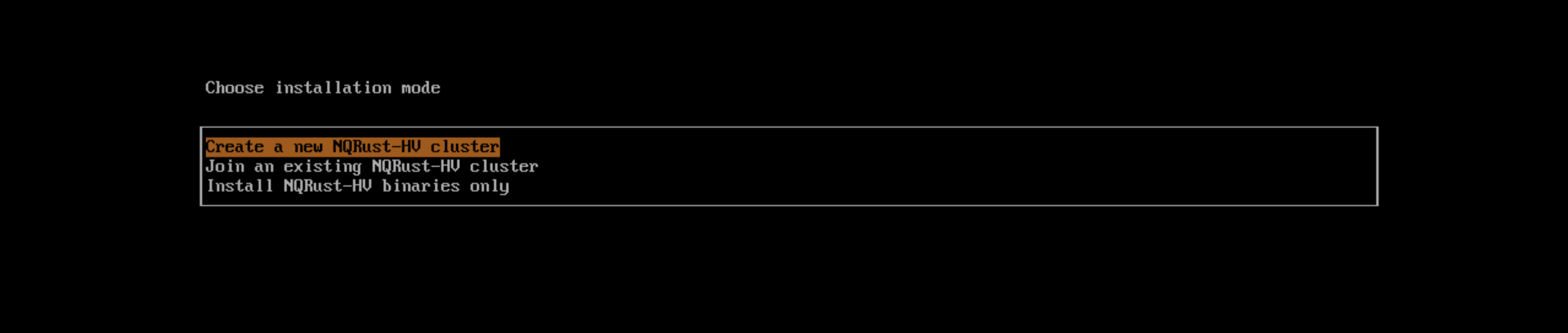
Background
Currently when a new Hypervisor node is launched it needs to be the first node in the cluster or join an existing cluster. These two modes are useful when you already know enough about the environment to install the Hypervisor node. However, for use cases such as bare-metal cloud providers and the edge, these installation modes load the OS and Hypervisor content to the node without letting you configure the network. Moreover, the K8s and networking configuration will not be applied.
If you choose Install Hypervisor binaries only, you will need to perform additional configuration after the first bootup:
- Create/Join option for Hypervisor
- Management network interface details
- Cluster token
- Node password
Then, the installer will apply the endpoint configuration and boot Hypervisor. No further reboots will be required.
Stream disk mode
Hypervisor has published a raw image artifact for pre-installed Hypervisor. The Hypervisor installer now allows streaming a pre-installed image directly to disk to support better integration with cloud providers.
On Equinix Metal, you can use the following kernel arguments to use the streaming mode:
ip=dhcp net.ifnames=1 rd.cos.disable rd.noverifyssl root=live:http://${artifactEndpoint}/hypervisor-v1.2.0-rootfs-amd64.squashfs hypervisor.install.automatic=true hypervisor.scheme_version=1 hypervisor.install.device=/dev/vda hypervisor.os.password=password hypervisor.install.raw_disk_image_path=http://${artifactEndpoint}/hypervisor-v1.2.0-amd64.raw hypervisor.install.mode=install console=tty1 hypervisor.install.tty=tty1 hypervisor.install.config_url=https://metadata.platformequinix.com/userdata hypervisor.install.management_interface.interfaces="name:enp1s0" hypervisor.install.management_interface.method=dhcp hypervisor.install.management_interface.bond_options.mode=balance-tlb hypervisor.install.management_interface.bond_options.miimon=100
When streaming to disk, it is recommended to host the raw disk artifact closer to the targets, as the raw disk artifact is nearly 16G in size.